Posts Tagged ‘Gradient Mesh’
Illustration – Neigh Horsing About

This illustration piece was created using Gradient Mesh on the horse and different gradient and opacity settings to create the depth and shadows you see on the background. I’ve converted the text to outlines and used the Warp Tool to recreate the effects of uneven surfaces. The moral of this image is… don’t trust this horse!
Click here to see the Gradient Mesh Selected.

Illustration – Stare at Apples in Pairs
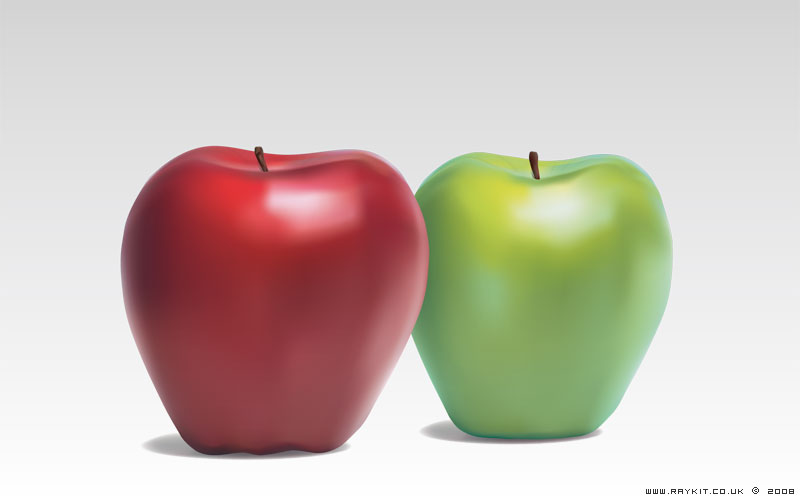
This is a vector image of a pair of apples. The techniques used in this piece was a tool called Gradient Mesh, which is creating a structured mesh that resemble 3D depth around a 2D object and then applying individual gradient at each vector point. This was the first time I’ve used Gradient Mesh and I think it produces a nice result. It allows multiple gradients to be blended in from all directions and creates a realistic image.
There are quite a few tutorials on Gradient Mesh available online if you google search. The best method of creating Mesh is starting from a box and then adding mesh lines inside and adjusting the vector handles as you go along to make the curves.
Click here to see the Gradient Mesh selected.
