Posts Tagged ‘Photoshop’
Panorama Photography – York

View of the River Ouse from Lendal Bridge, York
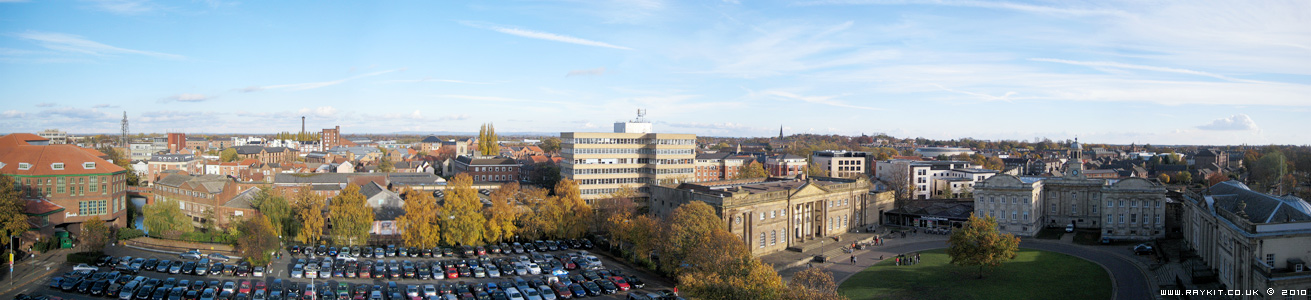
View from Clifford’s Tower, York
Panorama Photography – Scheveningen Beach


I was recently looking at my old holiday photos of Holland taken from last year and noticed that a few photos that I had taken of the beach could be unintentionally stitched together to make a wide image.
I had my Canon Ixus 75 compact camera during the holiday. On that particular day I stood in the pier of Scheveningen and casually took several consecutive photos of the nice scenery.
In Photoshop, I used Photomerge automation to stitch the photos together and used the stamp tool and healing brush to clean up some of the visible seams. The images were then enhanced using the following adjustment layers: Levels, Curves, Photo Filter, Colour Balance and Hue & Saturation.
*Note – Images will require scrolling on low resolution monitors.
Photography – Various Photos


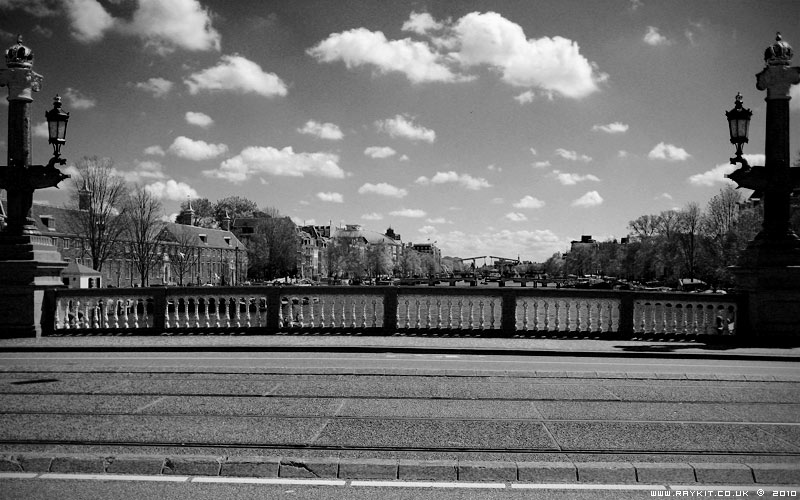


Here are some selected photos that I have taken over the years using various cameras. I’ve used the Levels and Curves adjustment layers in Photoshop to enhance the contrast of the images.
*Note – The photos have been optimized for web view.
Illustration – Cherry Tree Panda

Here is an illustration called Cherry Tree Panda. This was created entirely from Photoshop with the aid of a graphics tablet.
The idea appeared in my mind and thought the image of a panda chilling under a cherry tree would make a nice artwork. Before creating the piece I’d gathered some images on the net of cherry blossom trees and pandas for reference use.
The panda was quickly sketched in with the outlines later refined to a cleaner look. The trees were drawn from scratch using a swirl brush type with brush scattering mode turned on. I’ve added drop shadows, outer and inner glows on the layer style to give some depth and presence on the blossoms.
The background was created using a photo of my bedroom wallpaper which has a cloudy look, this was set to Soft Light on the Blending mode. I’ve also added a Noise filter which added some extra detail to the texture. With the base colour set to brown it created a nice leather-like appearance.
A Vignette effect was added to darkens the surrounding corners of the overall image, this helps emphasize the focus on the main subject.
I am pleased with the final look of the piece, particularly on the panda’s pondering look and its relaxed body position.
Illustration – Cocktail Gorilla

Meet Cocktail Gorilla! created in Photoshop.
I’ve added a drop shadow on the layer style to pop the outlines out which gives some depth. The background has been applied with a subtle Noise filter to add some texture to the overall image and also applied Vignette to darker the surrounding corners.